Emergencies stand out
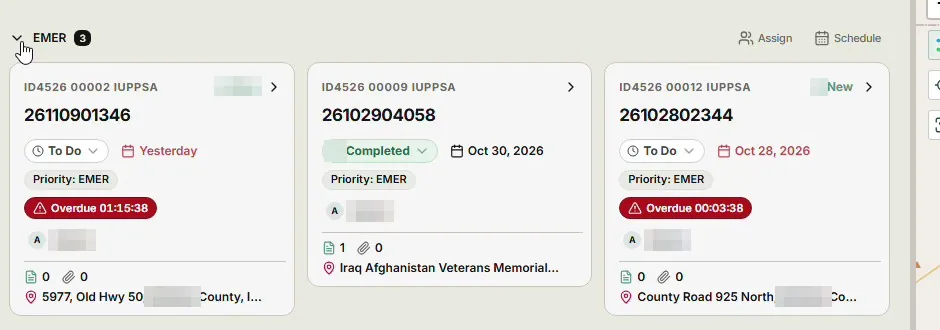
Tickets are grouped by priority, with emergencies and overdue tickets flagged in red.

Incoming 811 tickets become one live board and one map. Your team sees what is due, who owns it and where to go, then closes each locate from the field with a response code and photos. Positive response goes out automatically.
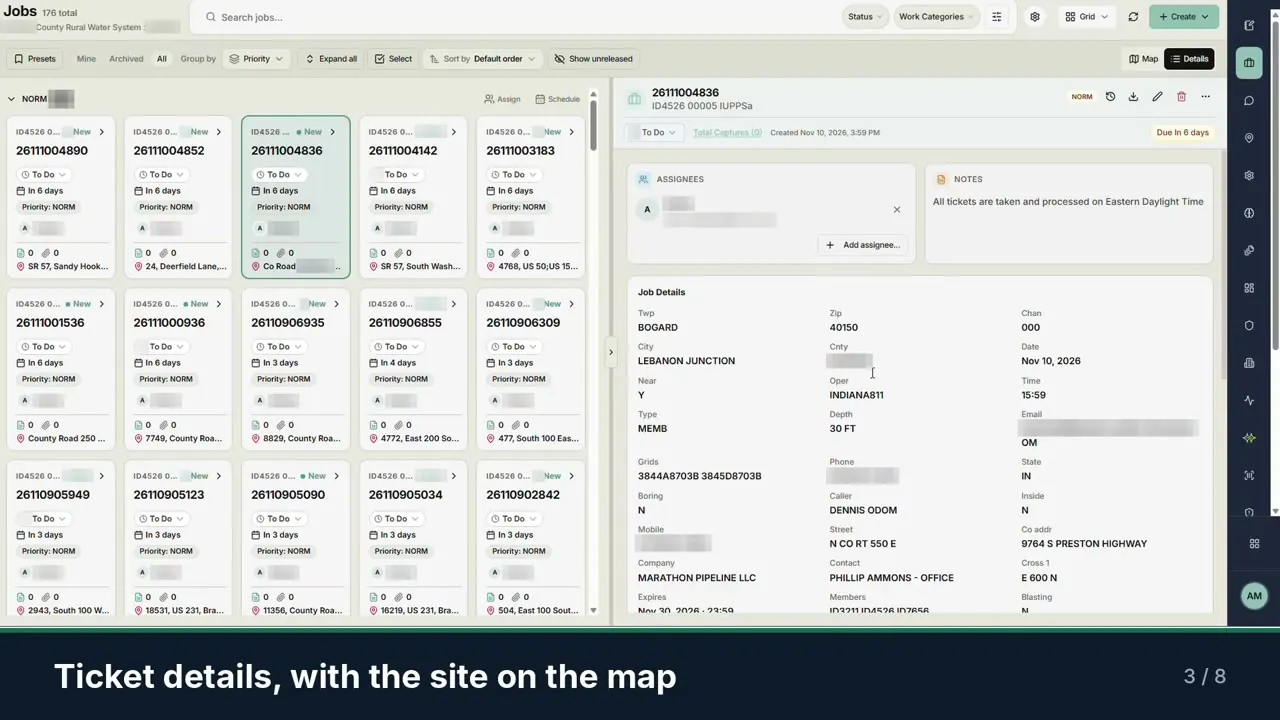
No more working tickets out of an inbox. Everyone sees the same board, and nothing slips past its due time.
Tickets are grouped by priority, with emergencies and overdue tickets flagged in red.
Nearby tickets are clustered so crews can plan routes and close more locates per trip.
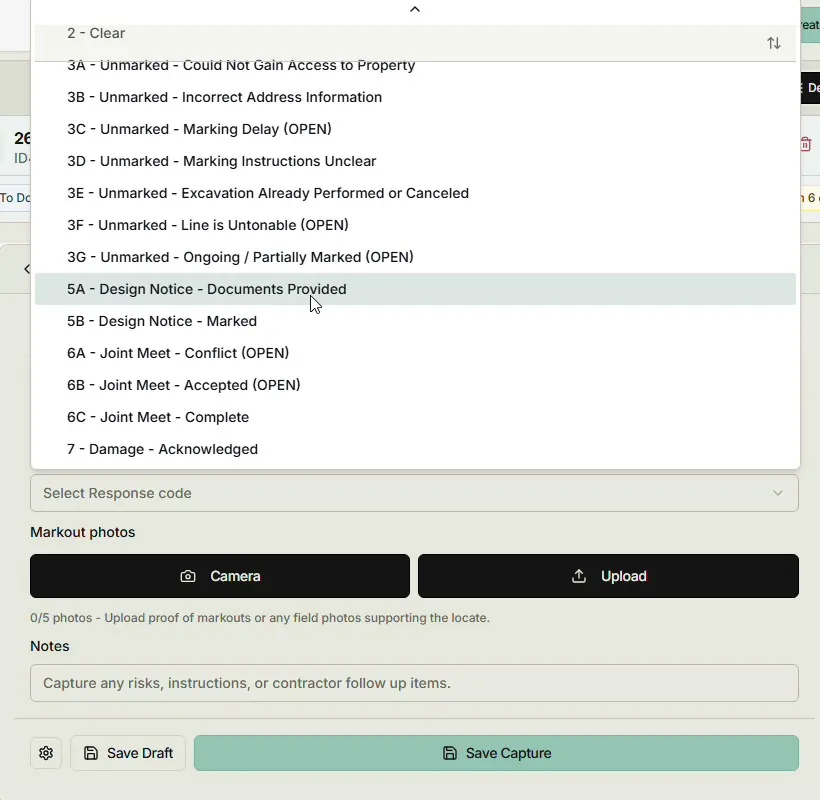
Pick a response code, add markout photos, save. The positive response is sent to 811.
Every ticket is a card, with its due time, priority and site on the map. Open any ticket to see the full record.
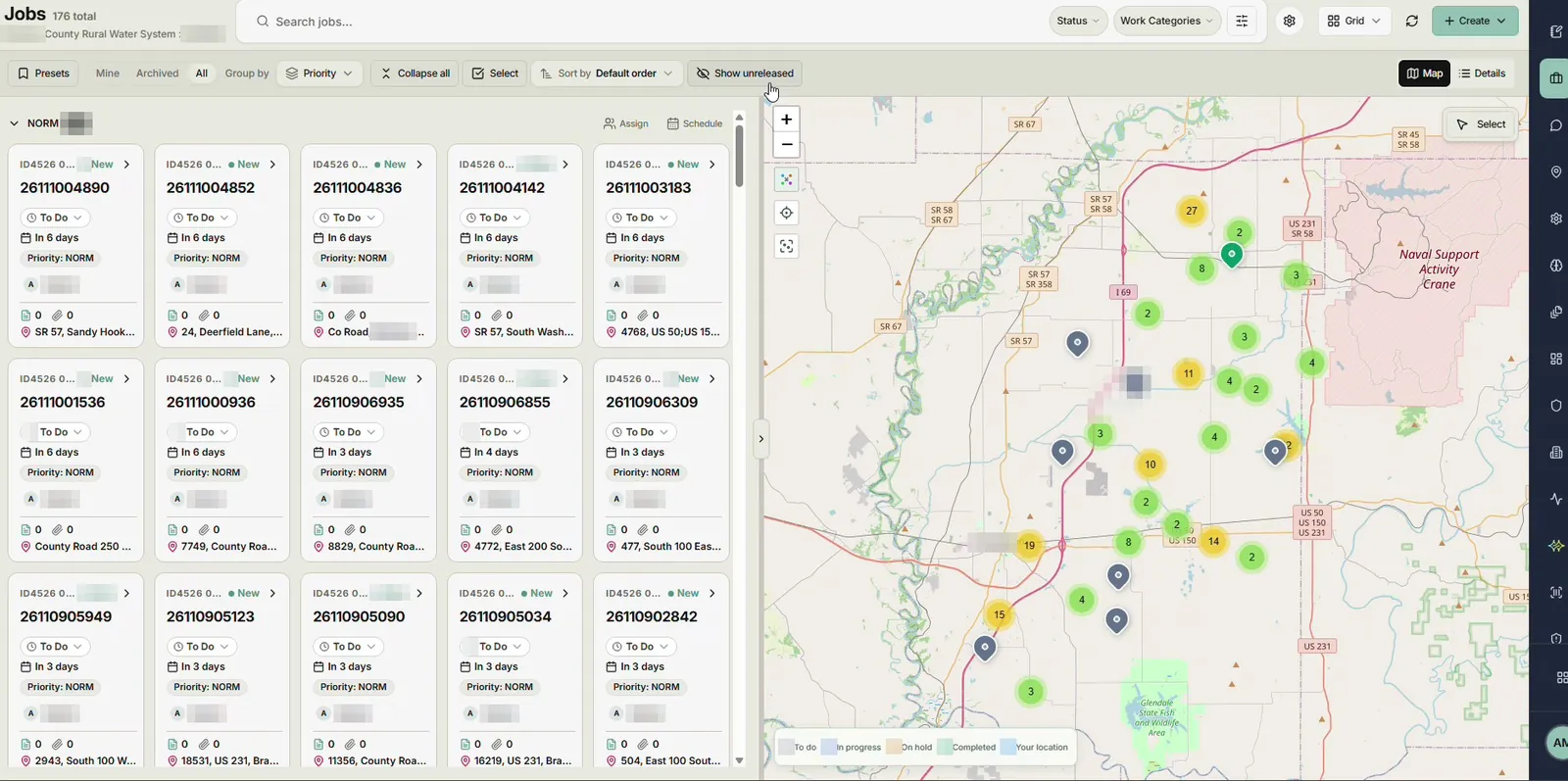
Select several tickets and assign them to a crew at once. Crews are alerted and see their work on their phone.
Crews choose the response code in the field and attach markout photos. Saving the form sends the positive response to your one-call center automatically.
Locating is hard enough without fighting the software. TeamSolve keeps it to a board, a map and a short form on the phone.
A board, a map and a short form. If your crew can use a smartphone, they can use it.
Tickets come in on their own, crews are alerted, and positive response is sent when the form is saved.
A mail rule copies the ticket emails you already get. Nothing to switch with your one-call center.
Crews open tickets, pick a response code and add markout photos from their phone.
Emergency and overdue tickets are flagged in red, so they cannot get buried in an inbox.
A practical tool without enterprise-scale cost or a long IT project.
No change to your 811 account. A mail rule copies your tickets.
| Inbox and spreadsheets | With TeamSolve | |
|---|---|---|
| Incoming tickets | Read one email at a time | Every ticket on one board and one map |
| Priorities | Easy to miss an emergency | Emergencies and overdue tickets flagged in red |
| Assignment | Phone calls and forwarded emails | Assign several tickets in a few clicks |
| Field response | Notes back at the office, then re-keyed | Pick a code and add photos in the field |
| Positive response | Entered separately with the one-call center | Sent automatically when the form is saved |
Copied in from the 811 email you already receive.
Grouped by priority, with overdue tickets in red.
Assign several tickets in a few clicks. Crews are alerted.
Saving the form sends the positive response to 811.
Southington's water and sewer crews run day-to-day field work on TeamSolve, including 811 locate tickets, in one system they actually use.
We are happy to connect you with a reference customer once we understand your needs.
Ask for a reference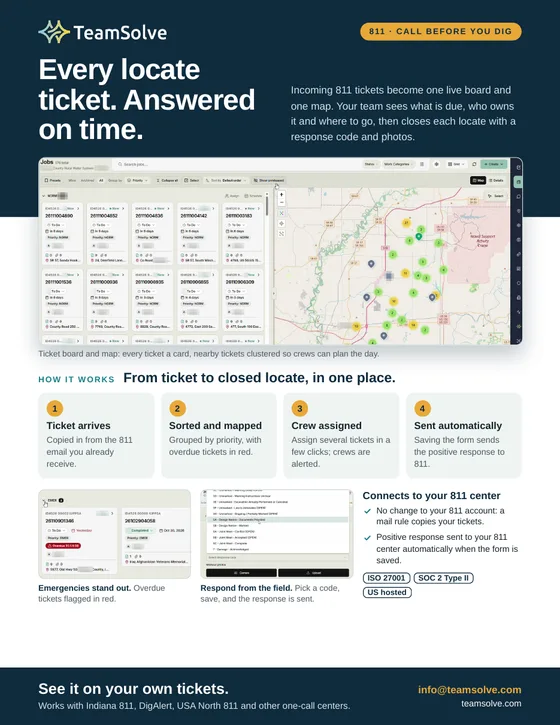
A two-page summary you can forward to operations, IT and management:
A short product walkthrough with on-screen captions. Easy to watch at your desk or share in a meeting.
Play the videoNo. A mail rule copies the ticket emails you already receive into TeamSolve. Your one-call center account and membership stay as they are.
It works with Indiana 811, DigAlert, USA North 811 and other one-call centers that send tickets by email. Tell us which center you use and we will confirm.
When a crew member saves the locate form with a response code, TeamSolve sends the positive response to your one-call center automatically.
Most of it is a board, a map and a short form on the phone. Our team walks your crew through it using your own tickets.
Yes. Crews open the ticket on their phone, pick a response code, attach markout photos and save.
Emergency and overdue tickets are flagged in red at the top of the board so they cannot be missed.
TeamSolve holds ISO 27001 and SOC 2 Type II certifications, and the 811 solution is hosted in the United States.
Yes. Request a demo and we will show it working on your own ticket emails.
A 30-minute walkthrough with our team, using examples close to how your utility works.
Prefer email? Write to info@teamsolve.com.